Tlön: A Misty Story Fix Tech Details
I just want to document some details about the patch before I forget.
Source code for the patch is available here: https://github.com/sonneveld/tlon-patch
Shoutout to Sakanakao's Binxelview, a tool that lets you visually inspect binary data for graphics.
Shoutout to TacoAdventure's Adventure Game Database. He has an AGDB Bluesky bot that skeeted about Tlon at the start of Sept 2026, which reminded me this game existed unpatched.
If you're interested, the source code for this patch is available on Github.
And as a very wise ScummVM developer once said, "No part of this work was produced using generative AI, I'd sooner drink my own sick."
Patches
Cadaver Exit Fix
The first blocker was the lack of additional exits in room 47, the cadaver room. What is supposed to happen is that when you cut down the body, a new exit will be available in the room. This doesn't happen, preventing you from finishing the game.
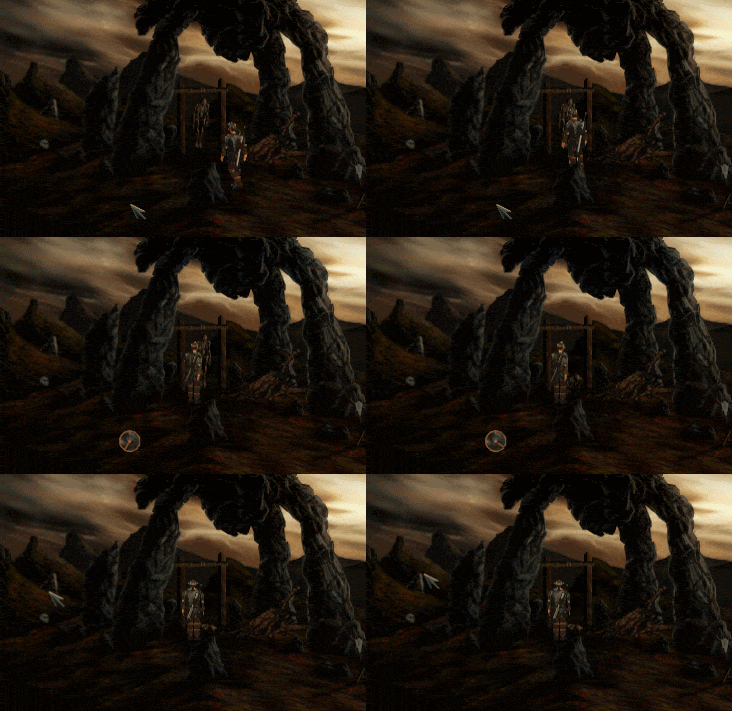
Exits in the game are defined as shapes "drawn" on the screen. The colours are made up for example purposes but in the picture below, you can see the original exit in purple. White defines the walking around area. Yellow is some sort of safe route for path finding I think. And finally red defines non-clickable areas for walking purposes. As in, the game will allow you to walk to that area but only if you clicked on a hotspot.
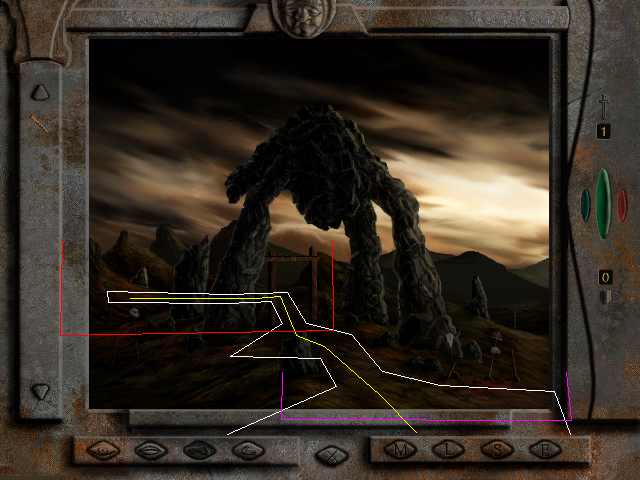
So when the player cuts down the body, there is code to replace the purple exits with new exit definitions. Afterwards the room looks like this:
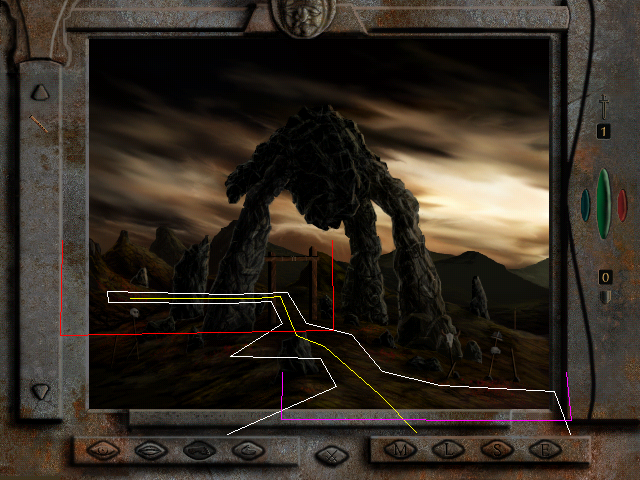
Yeah it's the same data. For some reason, the room is pointing to a new buffer but the data is the same as the previous one.
The fix for this was to create a new modified buffer that contains a new exit:
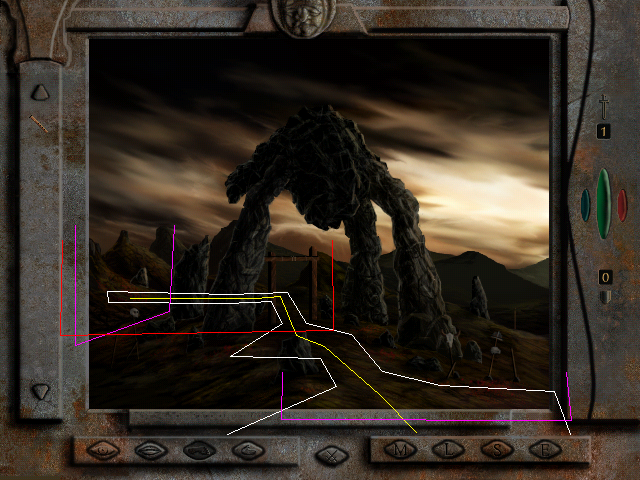
And this new exit leads to room 50. How do I know it's room 50? That's because room 50 has an exit that leads back to room 47.
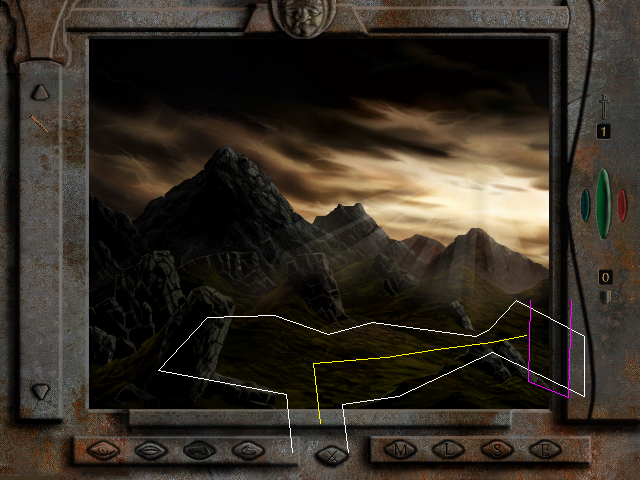
(you can see what looks like an exit was intended at the bottom of the screen at some point.)
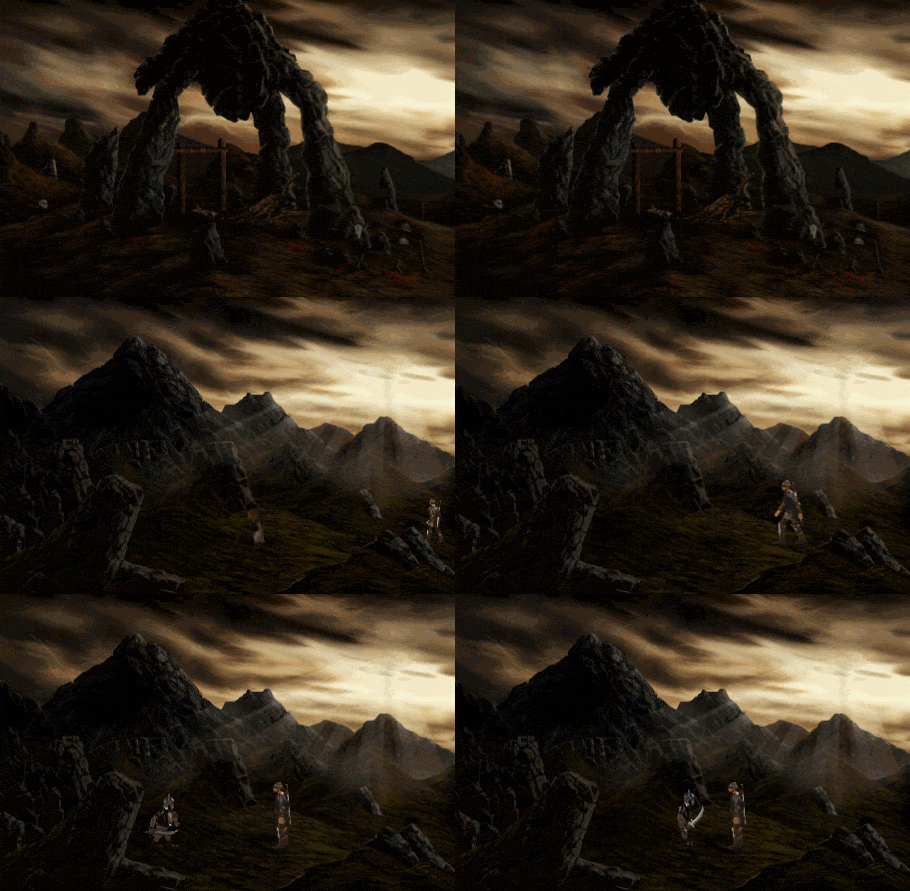
Exits also define the entry point into the next room. It is defined as a start and stop position, to account for a player to walk into a room for some distance before anything happens. It turns out this is important for room 50 because your character is ambushed as soon as you stop walking. So if you don't walk into the room far enough before this happens, the enemies go off in weird directions.
Fortunately I stumbled upon another table in the game that was just room entries with start/stop positions. I suspect it was used for cutscenes or debugging. And there was a definition for entering room 50 where the player walked right into the middle. Subbing those values into the exit from room 47 to room 50 lead to this:
Animation Lock Fix
So I thought I had fixed things but there was one more wrinkle. After killing a few goblins, you are meant to be attacked from behind and knocked out. Due to another bug, this doesn't happen and you are stuck in an animation loop. You can't even exit fight mode until your character perishes.
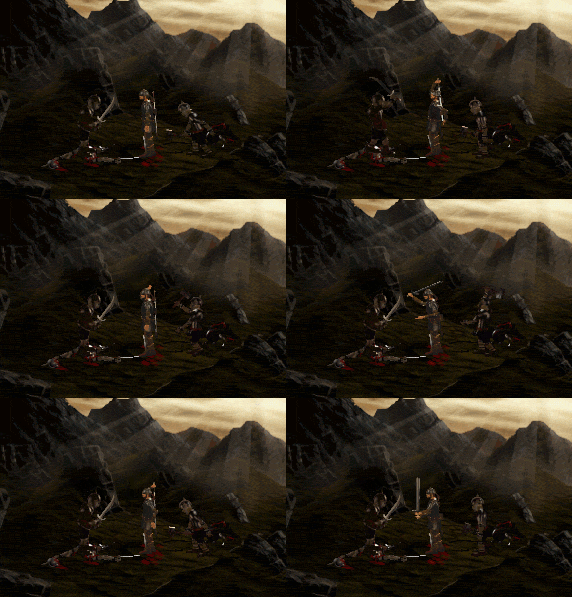
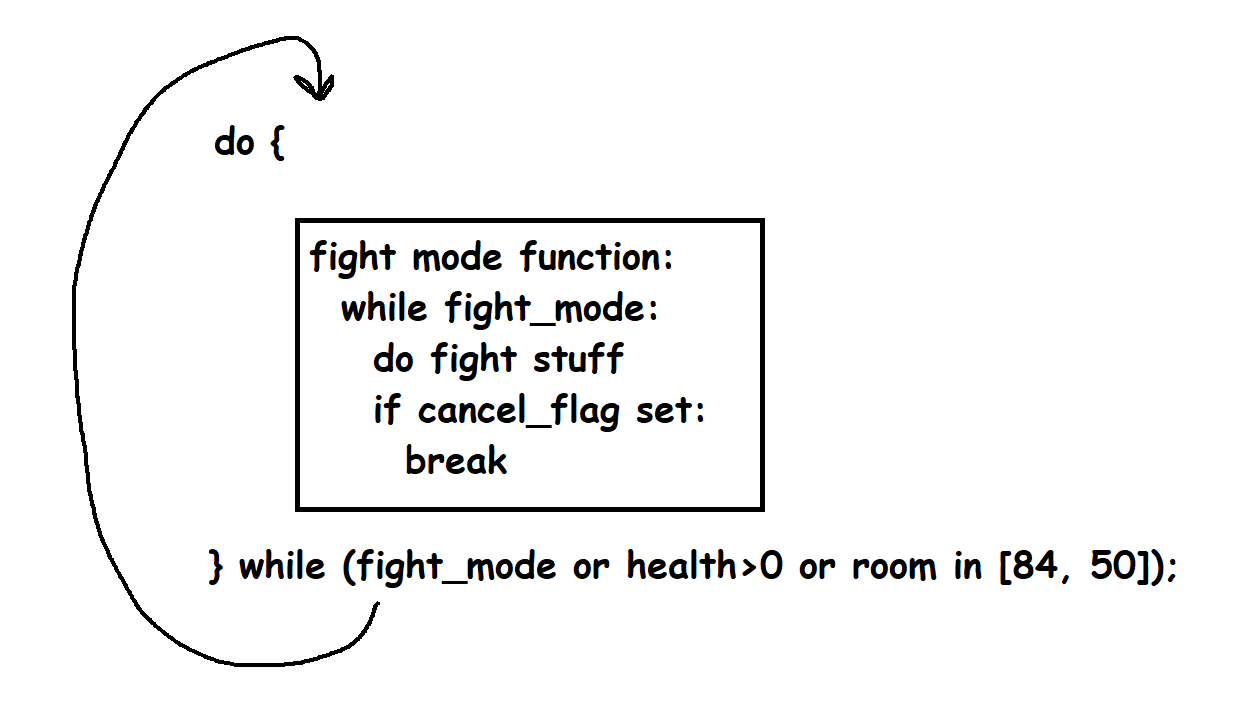
The fix for this was simple but tricky to track down. The fight mode function blocks and doesn't return until the player turns it off manually or you die or certain flags are set. The function call is wrapped in another loop which calls it repeatedly until certain conditions are met such as fight mode being turned off, you lose all health, or if you're in a particular room.
The first time you are hit on the back of the head by that goblin, it sets a flag that means the fight mode function will exit. But because it's called within a loop, the game goes straight back into fight mode again.
The game, as it was shipped, only checks for one room in that loop, a later room 84. That's because there's another fight scene that is cut short due to a cut scene. My fix was just to add another check to also check for room 50. So the loop will exit early if the fight is cancelled due to animation and you're in room 50.
Basically, the ambush animation was cancelling the inner fight loop but not the outer loop. I have no idea if this picture will make sense:
No CD Fix
I copied over the changes for another nocd patch that I found for Tlon. It worked on Windows 10 but failed in my Windows 98 VM for some reason.
The first patch would basically patch out any checks that looked at drive types or free space. My patch just removes all the code from the cd check functions altogether, basically always returning true and setting the CD path to be "./" so it will search the current directory.
Intro Skip
I literally did this as the last thing in my patch. I should have done it right at the start as I had to wait for two logos to go by every time while debugging.
For this fix there are two functions that play videos. They are almost identical except one will check for if ESC is pressed while the video is playing. I just replaced the function call for the LOGO video to use the other function.
Updating Version and Timestamps
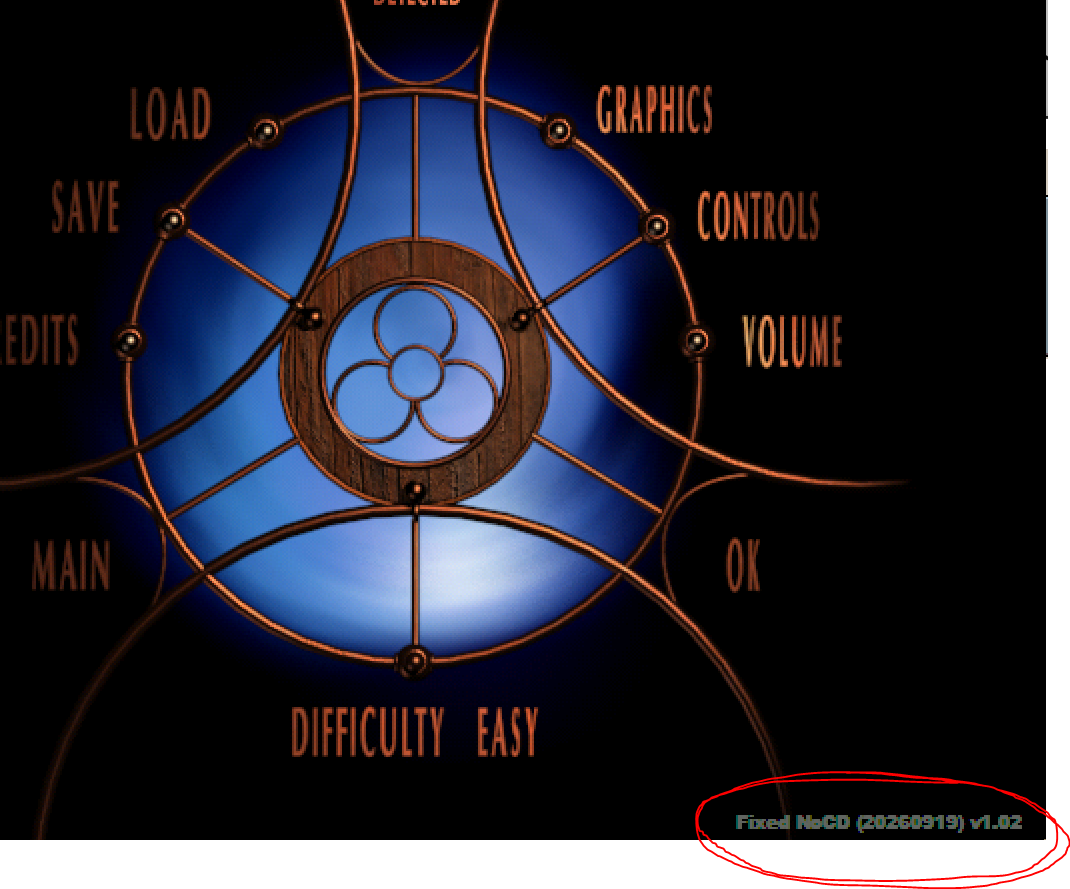
Very simple change to add a timestamp and other information to the in-game version string so I could easily identify what version people are playing for debugging. The patch just adds a new larger string at the end of the data segment and repositions it.
Page History
2026-09-19 - Initial release of tech page